Author Archives: Brian Mackey (The Revit Geek)

Revit Technology Conference

Late last night Dezi and myself received emails that our abstracts were accepted by the RTC committee and we will both be teaching one lab and one lecture style sessions.  Since we both love RTC we were excited and now get to start working on our handouts.  I have listed our sessions below.  If you haven’t already signed up for RTC I would hurry there aren’t many spots left.

Dezi’s sessions:

Family Lab: Cuts with Voids” as a 60 Minute LAB in the Structure stream, Intermediate level.

  • With the release of Revit 2012 we were gifted an option to allow families to be cut by other families.  This seemingly small feature creates many possibilities for increasing the precision and accuracy of our Revit Structure models.  This lab will share examples of how this feature can be utilized in a structural beam family to create a beam pocket, in a precast spandrel panel with a sloped top, and in embed plates that need to cut more than one element.  Following the examples, the lab will go step-by-step through how to create one of the aforementioned examples

Integrating Revit Structure with Analytical Software” as a 75 Minute Presentation in the Structure stream, Intermediate level.

  • When it comes to analytical software there are numerous options in which software to use, and how exactly to utilize that software with a Revit model.  This session will cover when Revit models should be exported to analytical packages, how best to prepare a Revit model for use in an analysis software and will be a comprehensive overview of the different analytical software options, including RISA, RAM, Fastrak, etabs and Revit Storm.  We will compare and contrast the different software packages and look at benefits, drawbacks, similarities and differences among them.  This session will be an balanced look at these software packages from the perspective of the end user

Brian’s sessions:

Detail Management in Multi-Building Projetcs” as a 75 Minute Lab in the Architecture stream, All Levels (Forums etc.) level.

  • Working on campus projects, strip malls or any type of multi-building project inevitably brings up the discussion of how to manage the details.  Often a major driving factor in choosing how to manage the details depends on if all of the buildings will be included in one set of construction documents, or if each building will be a separate set of documents.  Based on the project and which of the two previously mentioned approaches is selected, there are a number of strategies that can be implemented within Revit to help streamline the construction document process. This class will cover a few scenarios of multi-building projects and will discuss which approach to detail management may be the most appropriate.  In addition the session will reveal and discuss the pros and cons to each approach such that the attendees will be able to apply the most appropriate strategy to their own multi-building projects.

Navisworks for the Designers and Engineers” as a 60 Minute LAB in the CCFM (Construction, Coordination, Facility Management) stream, All Levels (Forums etc.) level.

  • Navisworks is commonly used to check for interferences and collisions, however, this software can also be leveraged as a powerful marketing tool.  This session will demonstrate how to expand the applications of the Navisworks software.  In order to use Navisworks for marketing one must first understand processes such as using search sets for up to date selections and using the consistency out of Revit to expedite the use of search sets.  Once this is achieved, the building may then be quickly and easily displayed in many different ways and animated using timeliner, both of which can be useful marketing tools.  This session will discuss all of these items and will share an actual project where these Navisworks procedures and tools were utilized for marketing purposes.
 

Revit 2012 Hotfix released

This week Autodesk released a Hotfix for all 64bit Revit applications.

This hotfix improves product stability when working with large datasets.

Make sure that Update Release 2 has been applied prior to adding the hotfix. Verify that the build number of Revit 2012 is 20110916_2132.
NOTE: This hotfix applies to the 64-Bit release of Autodesk Revit 2012 only.
Read me

 View the page from here:

Parametric Massing with Ellipses

The BIM TroubleMaker posted about making a parametric ellipsoid in Revit/ Vasari and Zach Kron posted his version of this.  It was great timing as I was doing a comparison take on a similar type issue.  Dezi was creating an elliptical shaped form in Rhino/Grasshopper that could represent an arena or stadium for her company and I thought I would do something similar in Vasari at the same time so we could compare.

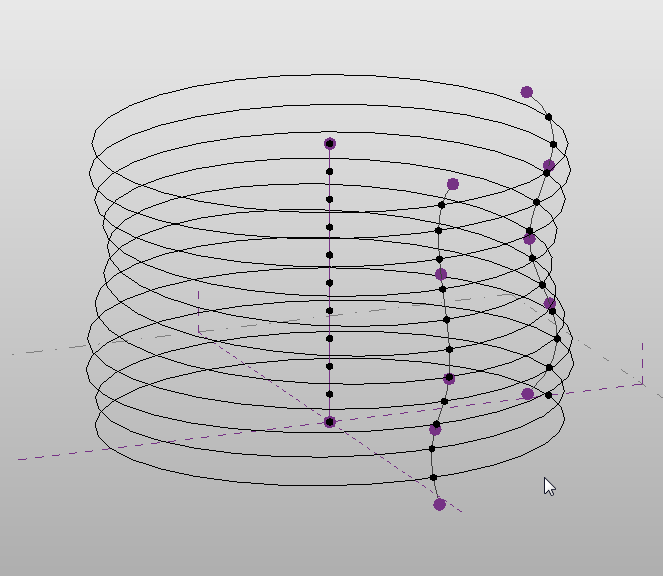
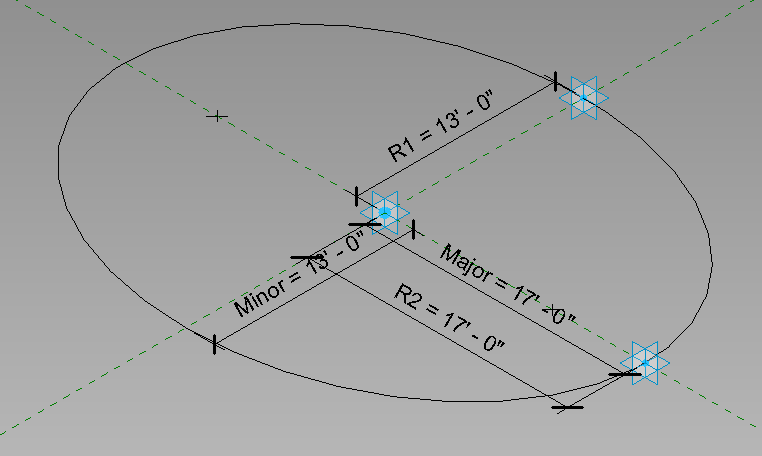
I started with a generic adaptive component family, and created an ellipse family similar to the one Zach had shown.

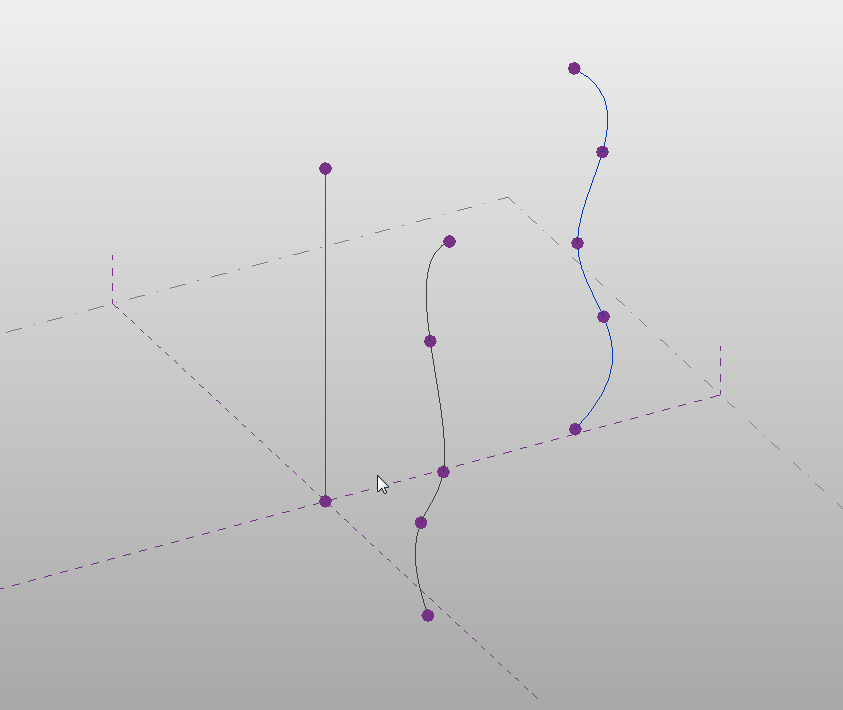
I then loaded that into a mass family.  In the mass family I created two splines, one on the XZ axis and one on the YZ plane.  To create the splines I used Reference Points hosted to the two different vertical ref planes. I then used Spline by points to create the splines. I then created a vertical reference line at the intersection of the two reference planes.

When placing the ellipse family I hosted it to it to the vertical reference line created earlier.  I then selected the placement points of the ellipse and picked the splines as new hosts.  To copy the ellipse up I selected the adaptive point at the center of the ellipse.   After copying that family up a few times I had the frame work for my mass building shape.

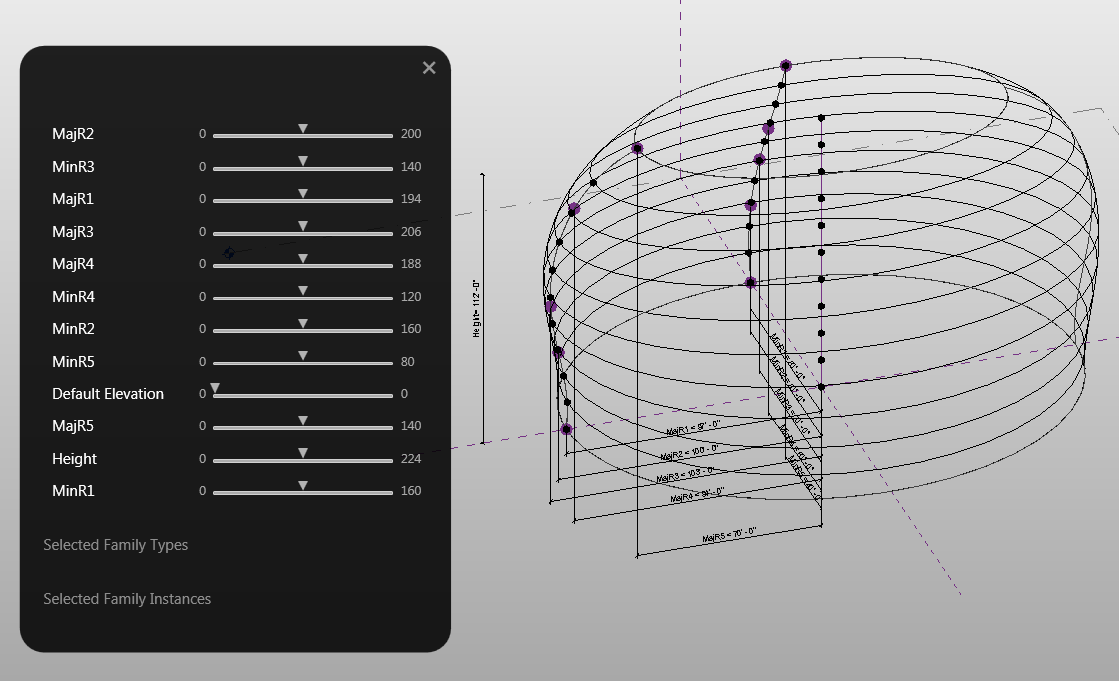
I decided that it would be nice to use the Vasari Sliders to adjust the mass so I added parameters to the reference points that made up the splines.

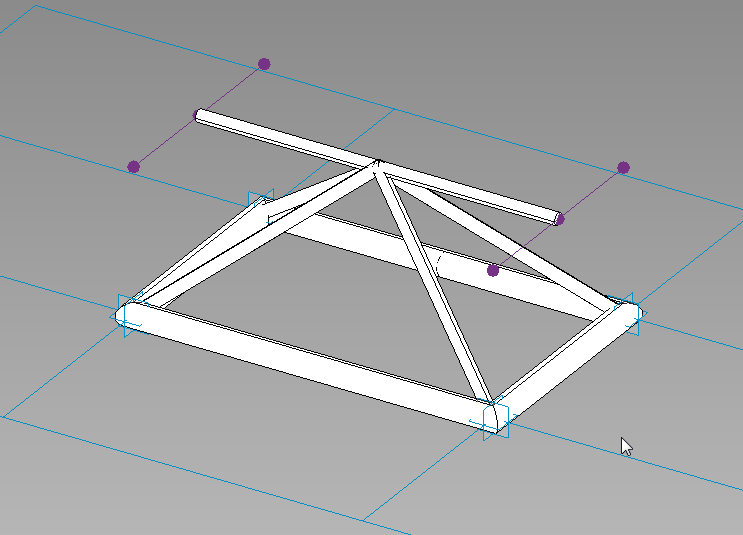
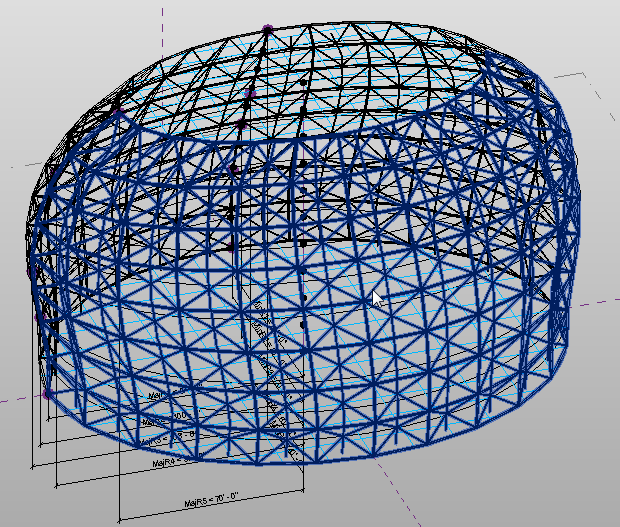
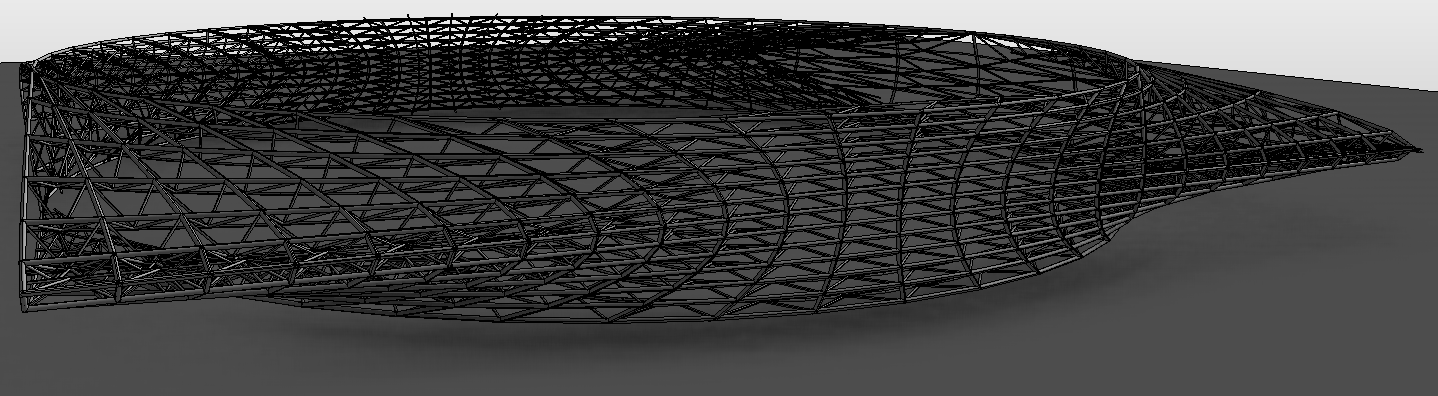
Once this was finished I created a Curtain Panel Pattern Based family that kind of represented a space frame, loaded that in to the mass and divided the surface.  Another post on this later…

That is what I came up with.

I quickly changed the ellipse shape to a rectangle but kept all the same parameters, loaded that into the mass family and changed every other family to a rectangle added my space frame pattern to only a portion of the mass and came up with this shape…

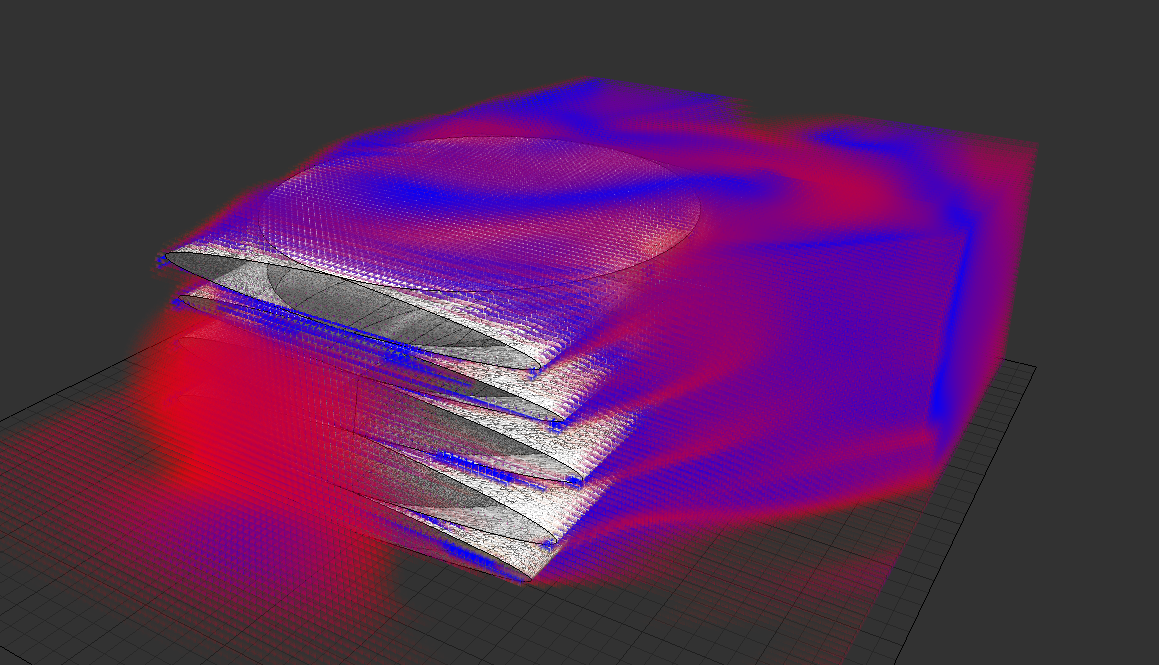
Ran the wind loads from Vasari onto the entire mass and got this…

Revit Technology Conference

For those of you who follow me know I am a huge advocate of the Revit Technology Conference.  I believe that anyone in the Revit realm, from the novice to the expert, will find great benefit in attending RTC.  Whether you go to RTC Australia, North America, or any possible new location in the future, it will provide huge benefits.  This week RTC announced VisDay for the Australian conference.

Excerpt from the RTC website:

The inaugural RTC Visualization Day is an adjunct to the Revit Technology Conference, dedicated to best-of-breed visualization technologies and methodologies. It will be held immediately preceding RTC 2012 Australasia. It recognizes the unique attributes of visualization as a process, and the skills of those in the industry. We are proud to have secured some industry heavyweights to share their knowledge and to support an open dialogue in an intimate environment – similar to established RTC events generally. Come and learn from some of the industry’s best, from Australasia and abroad.

There is a small additional fee to attend VisDay, but from what I have seen on the site, it will be more than worth it.

Hopefully we will get something similar for the RTC North American conference.

Stucture Generator

I thought it would be fun to create a simple radio tower for Revit Radio and in doing this I figured the Structure Generator preview from Autodesk Labs would be a good tool to try out.  The Structure Generator is a preview tool for both Revit Architecture and Structure that allows structural components to be generated in a project from conceptual masses.  Here is the official quote from Labs…

“Project Structure Generator for Autodesk® Revit® Structure and Autodesk® Revit® Architecture software is a free* technology preview that provides a connection between massing models and objects created during conceptual design and structural elements such as beams, column, walls, plates. With Project Structure Generator, structural engineers and architects, from the earliest stages, can very quickly create and visualize a physical and analytical model of a structure based on the massing model.”

 It was a bit rough of a go around just jumping into the program but once the help file it brought up it helps describe the processes to get this tool to work.  I first started off with a tall box and ran the tool using all the default settings.   I always like to start a tool with the default setting to see how well it works before I start breaking it. This was not that successful, Dezi asked why I was modeling a paper bag?

Continue reading