Author Archives: Brian Mackey (The Revit Geek)

New Exciting Release Slated for Late April

Dezi and I haven’t been blogging too much lately because we have been involved in this beta.  It has meant a lot of appointments with professionals, anticipation and excitement.

This release will come in a compact package but will continue to grow in the upcoming years.  Will probably become expensive in future years but we are hoping the product will be worth the costs.

This release does not use the ribbon interface however has an interactive touch interface which is user friendly and pleasant on the eyes and will make you want to keep playing with it.  The 3 dimensional representation seems lifelike.

Some of the features that will be available include super purge, hopefully the auto-sleep feature will work but has been known to be a bit glitchy.  It is said to have an artificial intelligence-like learning capability that is supposed to advance the more it is used.    Many other features will keep us up at night until we figure them out.    User customizable carrying cases can be added as well as  many accessories, but they must be purchased separately and can vary considerable in price.

The product is a direct result from nested family capabilities yet the final naming of the product is still yet to be decided and if you would like to weigh in feel free to add comments to this blog.  If you want to see a sneak peak of the box shot click the link below to see a preview.
BOX SHOT


Stacked Walls and Design Options

A client was having an issue working with design options and stacked walls the other day.  When the stacked wall was selected it wouldn’t allow it to become part of a design option.  I started an new file and had the same issue as he was having, however when I went to do it again for this post the issue didn’t happen again, then I realized it had been changed in Revit 2013.  I thought I should post it anyway in case this issue does happen for others still using 2012.

As with any element if the host is going to be apart of the design option then anything hosted to it must be part of that same option.  For instance all doors and windows hosted in a wall must be part of the same design option the wall is in.  Stacked walls are the same, each wall type that make up the stacked wall are hosted to the stacked wall (at least we will say that for this situation), so the stacked wall and all of the individual wall types that make up the stack must be selected in order to become part of a design option.  For this to happen the “Tab” key will need to be used to select the individual wall types.

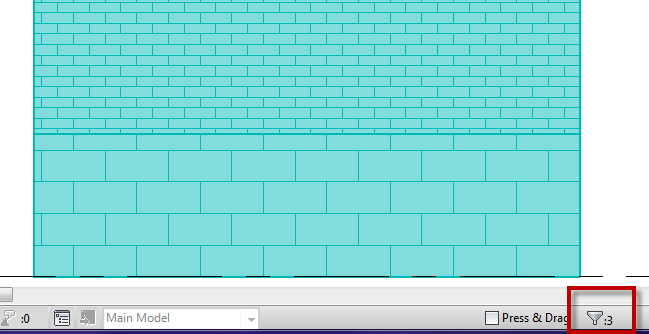
In Revit 2013 they improved on the entire selection process for adding elements to design options.  Most notably if you select a host element now everything associated with that element will become part of the design option.  No longer do we have to select all the doors, windows, etc they just go.  HUGE improvement for working with design options in my opinion.

Brace Framing

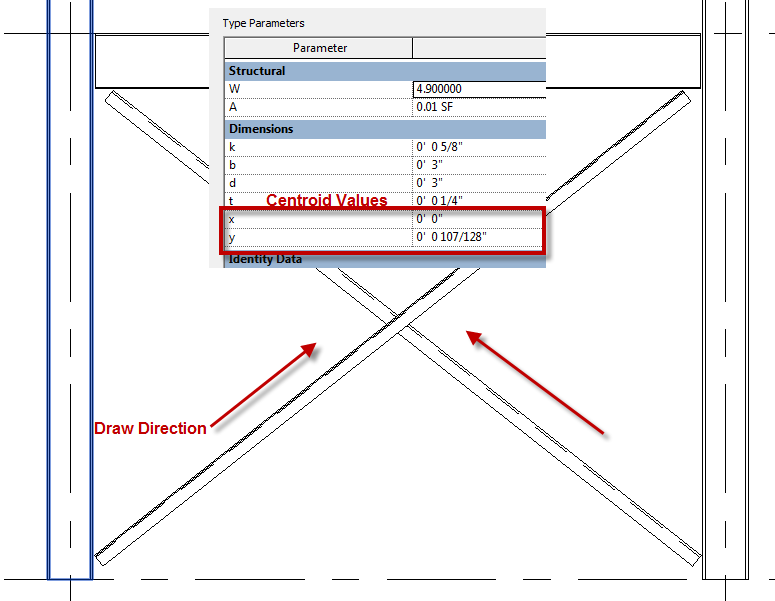
A question came to me this week asking how brace framing can be modeled so that the braces are going in the correct location while having the correct analytical relationship to the columns.  In this case the client wanted the “L” angles to be back to back but still be associated with the center-line of the columns.  The L angle OOTB family has parameters built in so that the centroid of the size can be set, these are “X” and “Y” parameters.  The values in these parameters coincide with the values for the centroid, if the type is duplicated and then these values are set to 0′-0″ then they will be modeled from the back side of the L.

Tags not tagging

A question came up on why material tags weren’t working on this upgraded file from Revit 2012 to Revit 2013, the problem wasn’t in an upgrade it was in the Visual Style assigned to the view.  Certain commands inside of Revit don’t like the view to be in wireframe.  In this case the we were dealing with material tags, other tags such as spot elevations also don’t like wireframe.  Once a view is changed to wireframe the surface of all elements cease to exist and only the bounding edges are there.  If there isn’t a surface to tag there can’t be any materials on that surface, so tools like material tags don’t have anything to tag.  This is similar to spot elevations, however a spot elevation can see the edge of an element and tag that.