
Tired of having to go into the visibility graphics settings and constantly changing the settings in the Revit Link tab to turn off the grids and levels in those files? Or going turning off the workset of the linked model, hoping the consultant didn’t put on other elements on that workset. There is an easier way to accomplish this by using view templates and filters, plus this way it doesn’t matter how bad the file is with worksets.
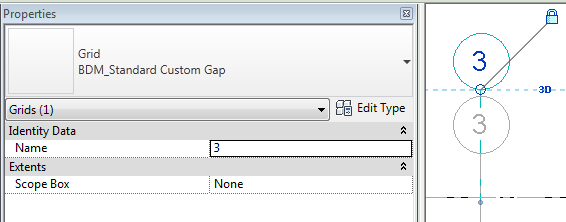
The first step is to make your Levels and Grids unique to those of others. I suggest adding your company acronym to beginning or end of the type name. If your name could be a common acronym, like BU which is part of bubble, then add an underscore, this will make it even more unique.
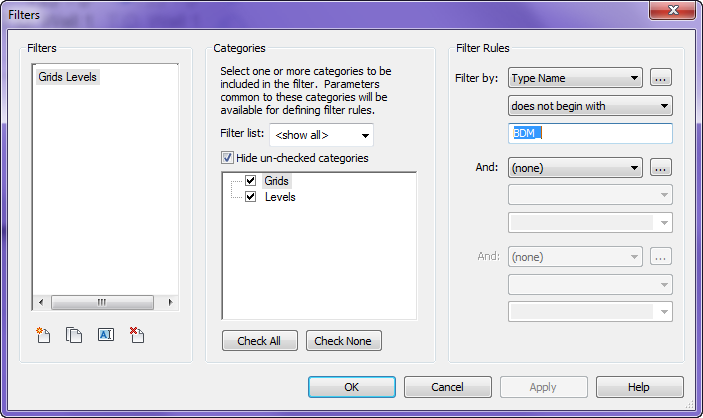
Once that is done create a filter applied to the Grids and Levels categories, use filter rules for Type Name, does not…, then the acronym entered above. Apply this filter to either the views visibility graphics or the View Filter. Now you never have to worry about the linked grids and levels again.
I have started specifying the worksets that are loaded in linked models and closing the share levels and grids in all the linked models. It works like a charm!
As long as only Levels and Grids are modeled on that workset. I have clients where many times there are other parts of the model on that workset. Plus if I want to see their grids or levels then I have to turn on that workset and turn it back off. If filters are applied then you can just remove that filter for specific views. But hey if all your consultants use workset well then you are lucky.