
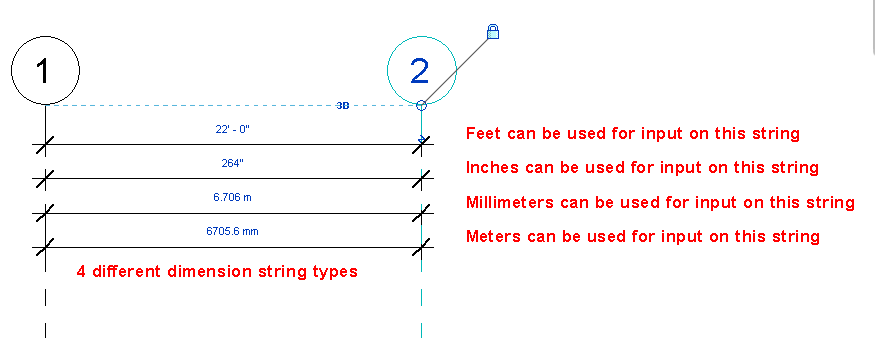
I always get the question asking can you change the default value for input from feet’ to inches” in Revit. I always let users know that the input is what ever your projects units are set too, so Feet and Fractional inches will default to feet for input, however change the default setting to simply fractional inches and that will be the input (same in true for meters vs millimeters). I let users know that they don’t have to use the ‘ and ” symbols, instead use the space bar or if you are a ten key person then use the hyphen key (1’6.5″ or 1 6.5 or 1 6 1/2 or 1-6.5 or 1-6-1/2). At our ROMBiS meeting, our local BIM user group, a great tip came up about having a dim style set to inches thus allowing a user to type in inches with out having to use any of the tips above, no matter what the project units are set to. The disadvantage of this is a permanent dimension string will have be associated with the element before it can be used for input.
There is also an old tool called Revit InchWorm if you wanted to check it out, I personally haven’t used it in a very long time so not sure how well it works with newer releases of Revit.